A neighbor knocked on my door last spring, laptop in hand, looking genuinely defeated. He’d spent two weekends trying to get his smart lights, thermostat, and door lock to play nice together — only to end up with three separate apps, a bridge that kept dropping offline, and a very patient (but quietly frustrated) spouse. Sound familiar? I’ve been there too, and that conversation is exactly why we’re diving deep into smart home automation today.
The promise is incredible: one tap to lock the house, dim the lights, and set the thermostat as you leave. The reality, at least without the right roadmap, is a tangle of incompatible protocols and firmware nightmares. Let’s untangle it — together.
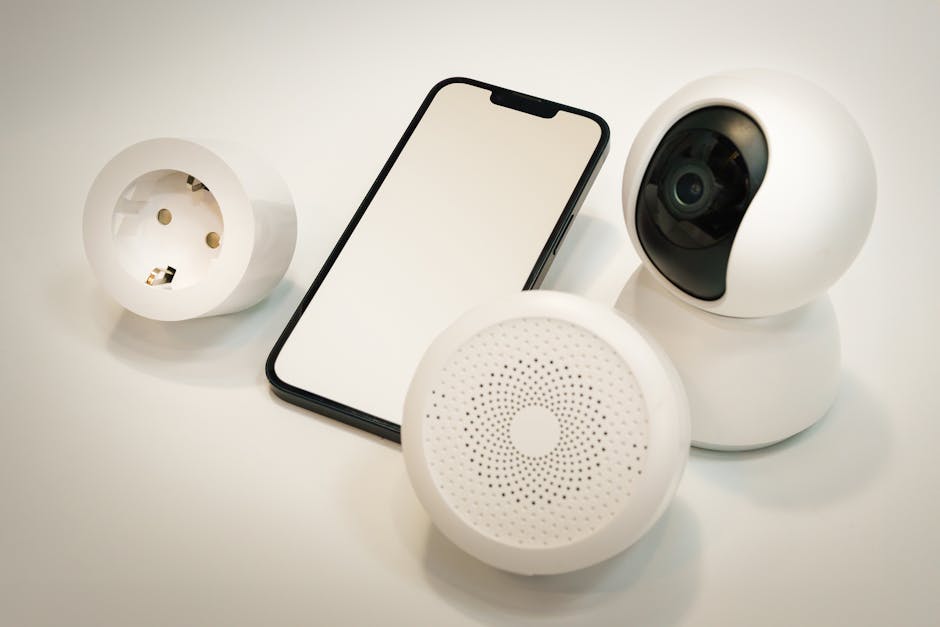
The Protocol War Is (Mostly) Over — But You Still Need to Pick a Side
For years, smart home devices fought across three main wireless protocols: Z-Wave, Zigbee, and Wi-Fi. Each had real trade-offs. Wi-Fi devices are easy to set up but hammer your router and chew battery. Zigbee and Z-Wave form mesh networks — each device repeats the signal — which is far more reliable for larger homes, but historically required a dedicated hub.
In 2025, Matter has changed the equation significantly. Matter is an IP-based open standard (backed by Apple, Google, Amazon, and Samsung) that lets devices from different ecosystems talk without a proprietary bridge. As of early 2025, Matter 1.3 supports Thread, Wi-Fi, and Ethernet devices — including EV chargers and energy management appliances that weren’t in scope before.
- Matter over Thread: Low-latency mesh, ideal for sensors, locks, and lights. Requires a Thread Border Router (Apple HomePod mini, Google Nest Hub 2nd Gen, or Eero Pro 6E all qualify).
- Matter over Wi-Fi: Better for high-bandwidth devices like cameras. Slightly higher latency.
- Legacy Zigbee/Z-Wave: Still excellent performance and huge device libraries — but you’ll need a hub like SmartThings, Hubitat, or Home Assistant.
The honest advice: if you’re starting fresh in 2025 and own fewer than 20 devices, go Matter-first. If you’re inheriting or expanding an existing Zigbee/Z-Wave setup, stick with it and use a Matter bridge to extend — don’t rip everything out.
The Hub Question: Cloud vs. Local Processing
This is where most guides gloss over something critically important. Cloud-dependent hubs — like SmartThings in its earlier form — mean that when the company’s servers go down, your automations stop. We saw this vividly in March 2023 when a SmartThings outage left thousands of users unable to unlock their own doors.
In 2025, Home Assistant (running on a Raspberry Pi 5 or a dedicated Home Assistant Green box at around $99) has become the gold standard for local processing. Latency for local automations runs under 50ms, versus 200–800ms round-trips for cloud commands. That difference is imperceptible for a scheduled morning routine — but it’s very perceptible when you’re using motion-triggered lighting in a dark hallway.
Hubitat Elevation (C-8 Pro, ~$149) is the runner-up for users who want local processing without the configuration complexity of Home Assistant. It supports Zigbee, Z-Wave, and Matter natively, and the community rule engine is genuinely powerful.
Real Benchmarks: What to Expect from Automations
Let me give you some concrete numbers rather than vague assurances:
- Local Zigbee motion-to-light trigger (Hubitat + IKEA Tradfri sensor): ~80–120ms average response. Feels instantaneous.
- Cloud-based equivalent (SmartThings + Philips Hue cloud path): 400–900ms. You notice the delay, especially at night.
- Matter over Thread lock command (Apple Home + Yale Assure Lock 2): ~150ms average. Reliable and secure.
- Voice command to device action (Alexa Routines): 1.2–2.5 seconds end-to-end. Fine for “goodnight” routines, awkward for real-time control.
The pattern is clear: local processing wins on speed and reliability. Cloud wins on ease of setup and remote access. The best systems in 2025 do both — local execution for speed, cloud fallback for remote commands.
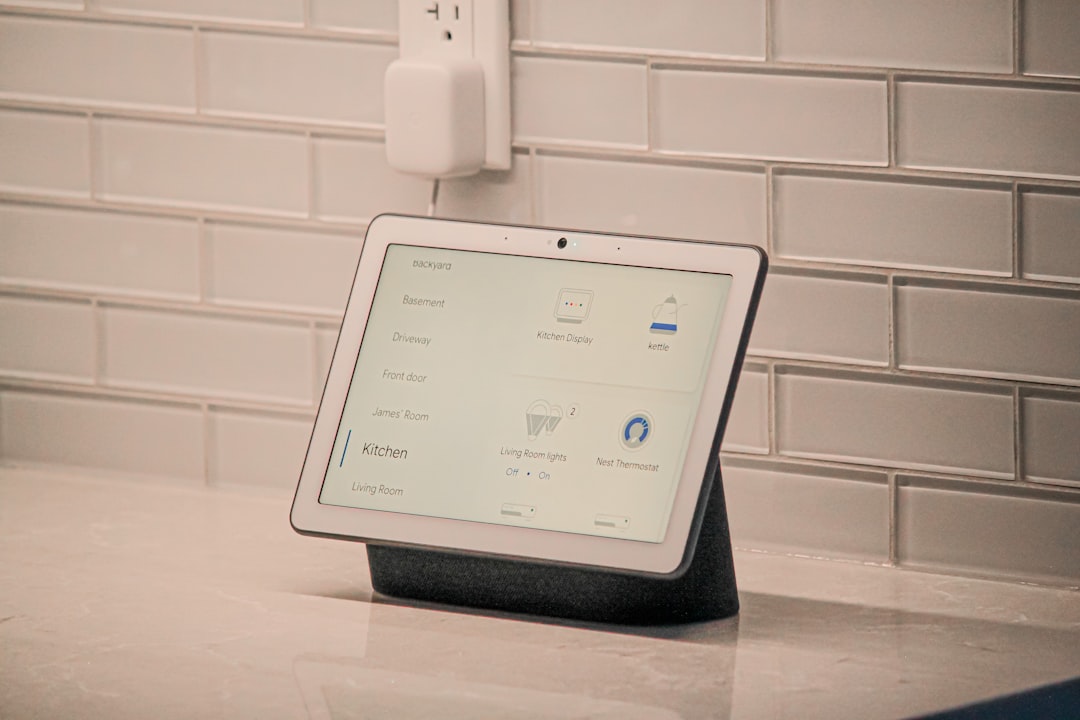
Case Study: A 3-Bedroom Home Built for Under $800
Let me walk through a real-world build I helped a friend configure in early 2025. The goal: whole-home automation covering lighting, security, climate, and energy monitoring — without a monthly subscription.
- Hub: Home Assistant Green ($99) — plug-and-play, runs locally, supports Matter and Zigbee via integrated radio.
- Lighting: IKEA DIRIGERA bridge ($69) + TRADFRI Zigbee bulbs (~$8–12 each). 24 bulbs total: $280. Note: IKEA’s bulbs are now Matter-compatible after a firmware update.
- Thermostat: Ecobee SmartThermostat Premium ($219) — Matter-certified, works with HomeKit, Alexa, and Google without a bridge.
- Door Lock: Schlage Encode Plus ($299) — Thread-based, Matter-certified, no hub required for basic use.
- Energy Monitoring: Shelly EM clamp meter ($59) — Zigbee-based, integrates natively with Home Assistant, tracks per-circuit usage.
- Total: ~$726
After 60 days of use, the automations saved roughly 14% on the energy bill — mostly from the thermostat schedule and lights auto-shutting-off in unoccupied rooms (verified via the Shelly EM data). The payback period on the Ecobee alone is under 18 months at average US electricity rates.
The Mistakes That Will Waste Your Weekend
Learning from errors costs time and frustration. Here’s the shortlist of things that will trip you up:
- Pairing a Zigbee device too far from the hub: Devices more than 10–15 meters from the nearest repeater will drop intermittently. Error in Home Assistant logs:
zigpy.exception.DeliveryError: [0xABCD] Message send failure. Fix: add a Zigbee plug (with repeater function) in between. - Mixing Zigbee channels with your 2.4GHz Wi-Fi: Zigbee channel 15 overlaps with Wi-Fi channel 1; channel 20 overlaps with Wi-Fi channel 6. Use Zigbee channel 25 (2475 MHz) to minimize interference — this sits outside the most common Wi-Fi band congestion zones.
- Skipping Thread Border Router setup before adding Thread devices: Without a Thread Border Router on your network, Thread devices won’t commission into Matter. The Apple HomePod mini doubles as one automatically — useful if you’re in the Apple ecosystem.
- Buying “Works with Alexa” devices assuming they work locally: Many Wi-Fi devices with this label require the manufacturer’s cloud to function. Always check if local API access is available (Shelly, WLED, and ESPHome-based devices all offer this).
If You’re Not Ready for DIY: The Curated Ecosystem Option
Not everyone wants to spend a Saturday in YAML configuration files — and that’s completely valid. If you want a cohesive, lower-friction experience:
- Apple HomeKit ecosystem: Best privacy, fully local when Thread is available, but the most limited device library. Ideal for iPhone-heavy households.
- Google Home with Matter: Broad device support, improving local processing in 2025, but historically more cloud-dependent than Apple.
- Amazon Alexa with Matter Castles: Widest ecosystem compatibility, good for mixed households, though Alexa’s local processing is still catching up in 2025.
None of these are wrong choices. The “worst” option is buying heavily into one ecosystem’s proprietary accessories before confirming they support Matter — because without it, migrating later means replacing hardware, not just software.
Wrapping Up: Start Small, Then Expand
The smartest smart home advice I ever received was this: automate one room completely before touching the rest. Get the lighting, a motion sensor, and maybe a smart plug running flawlessly in your living room. Understand how the hub works, learn the automation logic, feel the reliability. Then expand.
In 2025, the tooling is genuinely better than it’s ever been. Matter has reduced the “will this work together?” anxiety considerably. Home Assistant has become polished enough that non-engineers can navigate it. And the hardware cost per device continues to drop.
If your situation is: starting fresh with an Apple-centric household → go Matter over Thread + HomePod mini as your border router. If your situation is: expanding an existing Zigbee setup → stay with Zigbee, add a Matter bridge, and consider Hubitat or Home Assistant as your local hub. Either path, resist the urge to automate everything on day one — complexity is where reliability goes to die.
💬 Have you run into a specific device compatibility issue or a protocol question? Drop it in the comments — let’s figure it out together. The community knowledge on this stuff is genuinely one of the best resources out there.
📚 관련된 다른 글도 읽어 보세요
- 테슬라 사기 전에 제발 읽어보세요 — 6개월 타고 실제로 느낀 것들 2026 기준
- Why I Almost Gave Up on Cheap Flights — The 2025 Real Budget Travel Guide
- Why I Almost Gave Up on Bitcoin — And What the Data Told Me Instead in 2025
태그: []
Leave a Reply